Aeroflo
Workflow automation built for drone operations. Visual canvas. Drone-native triggers. Simulation before go-live.
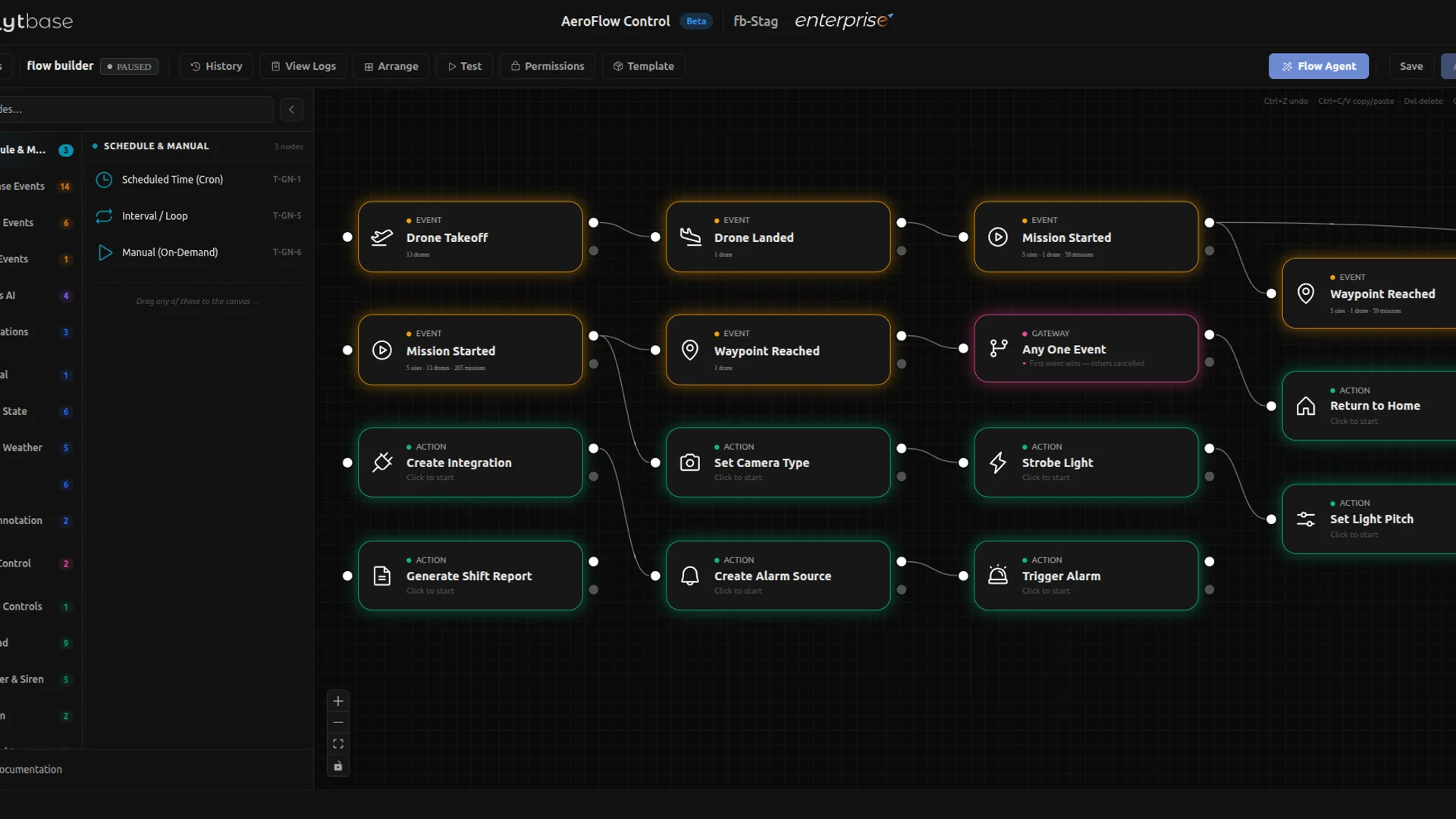
Aeroflo is drone-native workflow automation for FlytBase. Build flows with triggers, actions, simulation, variables, templates, and full run logs. Automate schedules, flight events, dock sensors, alarm sources, webhooks, camera payloads, gimbal control, spotlight control, reports, guest sharing, HTTP calls, and custom JavaScript.
A flow is a trigger plus a chain of actions on a visual canvas. When the trigger fires, the flow executes and every step is logged.
The difference from a generic workflow tool is that the triggers and actions are drone-native. Triggers fire on every FlytBase surface: cron and sunrise/sunset schedules, flight events such as mission start, waypoint reached, battery drops, RTH, and abort, dock sensors such as rainfall, wind, and temperature, alarm sources, inbound webhooks, and manual button presses.
Actions reach places a generic tool cannot: switch the camera payload between wide, zoom, and thermal, set zoom up to 10x, aim the gimbal, and pitch the spotlight from -90 degrees to +90 degrees with intensity and strobe control. Generate shift or incident reports inside a flow. Create time-limited guest share links and email them. Fire alarm sources. Drop to HTTP, webhook, or JavaScript for anything not yet built natively.
Before a flow goes live, the simulation engine walks every node, validates inputs, and produces realistic outputs without sending a single drone command. Re-run as many times as needed.
Every live run is traced. Variables pass automatically between steps. Active flows survive server restarts. Templates clone in one click.
Built for pilots, operators, Solutions Engineers, Drone System Integrators, and ops teams building drone automation once and running it reliably across sites and customers.